
Restaurant Online Ordering System
Manage takeaway orders, QR code ordering, digital menus, reservations, and customer transactions from one hospitality platform designed for Australian restaurants, cafés, bars, hotels, and food businesses.
Menu Master helps hospitality teams reduce ordering friction, simplify service operations, and maintain better control over menus, customer experience, and venue performance during busy trading hours.
Built for Hospitality Operations
- QR Code Ordering
- Digital Menus
- Online Takeaway Orders
- Reservation Management
- POS & Payment Integration
- Multi-Location Management
- Real-Time Reporting
- Mobile & Tablet Friendly
See how Australian hospitality teams are replacing paper tickets with a smarter digital kitchen order display system.
Restaurants
Cafés
Bars
Cafés
Food Trucks
Casual Dining
Quick-Service Venues
Hospitality Software Designed Around Real Service Conditions
Using separate systems for menus, reservations, and online ordering can create unnecessary delays during service periods.
Busy hospitality venues often manage multiple operational tasks at the same time:
- takeaway orders
- dine-in ordering
- reservations
- changing menu availability
- customer wait times
- staff communication
- payment processing
Instead of switching between disconnected tools, staff can manage:
- online orders
- QR menu ordering
- reservations
- menu availability
- customer activity
- sales reporting
What Is a Restaurant Online Ordering System?
A restaurant online ordering system allows customers to:
- A restaurant online ordering system allows customers to:
- place takeaway or dine-in orders
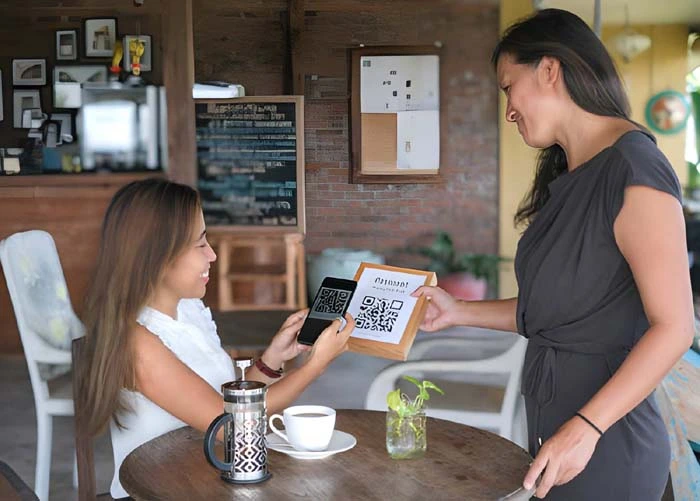
- scan QR codes for table ordering
- reserve tables
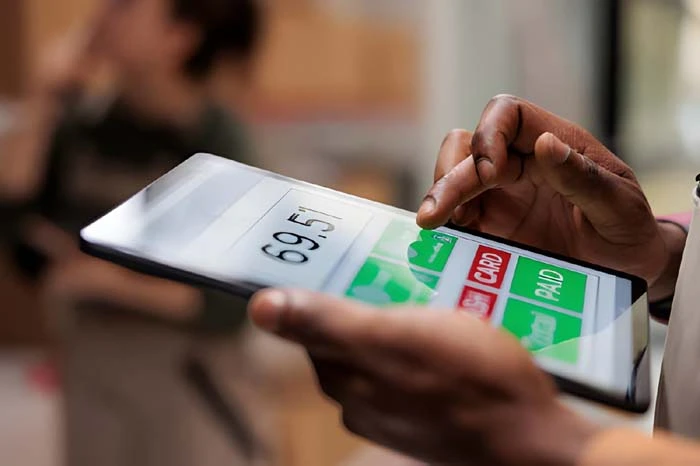
- complete payments digitally
Modern hospitality businesses increasingly rely on digital ordering systems because customers expect:
- faster ordering experiences
- mobile-friendly menus
- contactless service options
- accurate menu availability
- convenient takeaway ordering
Compared with manual ordering processes, online ordering systems help reduce:
- order mistakes
- queue congestion
- menu inconsistencies
- service bottlenecks
- duplicated admin work
One Platform for Orders Menus, Reservations & Service Operations
Real-Time Restaurant Synchronization for Australian Hospitality Operators
Instead of manually exporting CSV files or updating delivery menus individually, MenuMaster synchronizes data automatically across your restaurant tech stack.
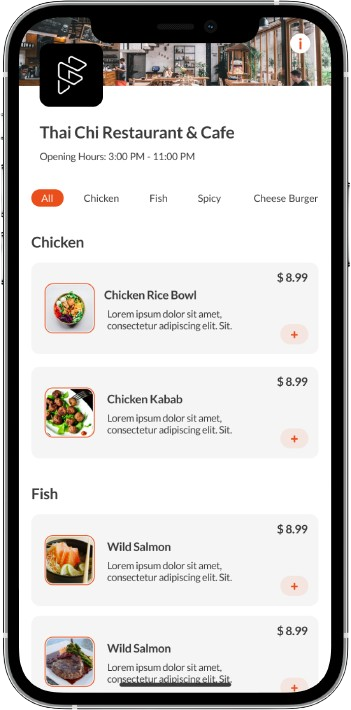
Digital QR Code Menus
Features Include
- mobile-friendly digital menus
- QR code table ordering
- instant menu updates
- category management
- dietary labels
- image-based menu layouts
- sold-out item control
Online Ordering Management
Ordering Capabilities
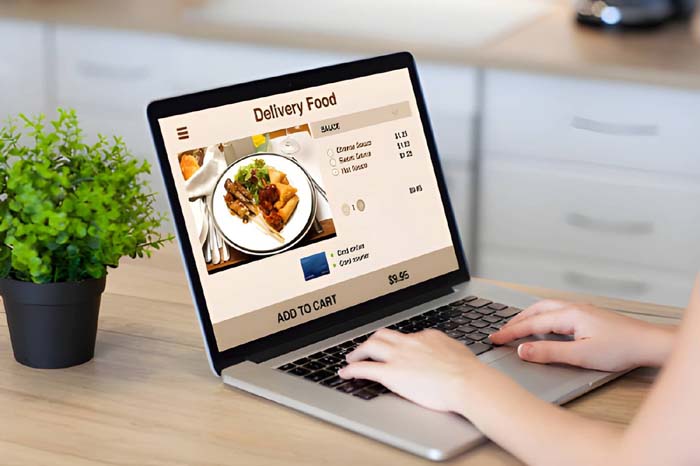
- takeaway ordering
- scheduled pickup
- dine-in table ordering
- repeat customer ordering
- order status management
- real-time order notifications
Reservation & Table Management
Reservation Features
- online bookings
- booking confirmations
- table scheduling
- guest tracking
- reservation visibility
- service session management
How the Ordering Workflow Ordering Workflow
01
Customer Scans QR Code or Opens Ordering Link
02
Customer Browses Real-Time Menu
Customers view:
- available menu items
- pricing
- modifiers
- dietary information
- specials
- sold-out items
03
Order Is Submitted Digitally
04
Kitchen & Staff Receive Order Updates
04
Venue Manages Orders & Customer Activity
Managers can monitor:
- active orders
- reservation schedules
- menu performance
- peak ordering periods
- customer trends
Hospitality Dashboard Built for Daily Venue Operations
Menu Control
- update pricing
- pause unavailable items
- launch specials
- manage seasonal menus
- operational mapping rules
- real-time reporting infrastructure
Order Management
- live order tracking
- preparation monitoring
- order history
- takeaway scheduling
Staff & Permission Controls
- role-based staff access
- venue-level permissions
- operational visibility
Reporting & Analytics
- best-selling items
- revenue reporting
- ordering trends
- customer activity
- peak service analysis
Multi-Location Control
- POS systems
- payment gateways
- kitchen printers
- tablets
- mobile devices
- QR ordering workflows
- reservation systems
Integrations & Hospitality echnology Compatibility
Hospitality businesses often already operate multiple systems.
- POS systems
- payment gateways
- kitchen printers
- tablets
- mobile devices
- QR ordering workflows
- reservation systems
Why Hospitality Businesses Choose Menu Master
Most Restaurant Systems Weren’t Designed to Work Together
Maintain Direct Ordering Control
- customer relationships
- branding
- menu presentation
- promotions
- operational workflows
Reduce Dependence on Multiple Systems
- reservations
- menus
- takeaway ordering
- reporting
Faster Menu Updates During Service
- pause sold-out items
- adjust pricing
- launch specials
- update menu availability
Better Visibility into Venue Performance
- high-performing menu items
- busy ordering periods
- customer ordering behavior
- operational bottlenecks
Hospitality Use Cases
Restaurants
Cafes
Food Trucks
Hotels
Shift-based reporting and beverage inventory tracking.
Quick-Service Venues
Maintain speed while reducing order confusion.
Franchise & Hospitality Groups
Operational Examples from Hospitality Businesses
Café Environment
During peak service:
- queues increased
- menu updates became difficult
- staff handled frequent order corrections
After implementing Menu Master:
- QR ordering reduced front counter congestion
- sold-out items were paused instantly
- repeat customer ordering became faster
- staff spent less time correcting manual orders
Hotel Dining Operations
Using one centralized dashboard helped staff:
- manage reservations
- track ordering activity
- update menus instantly
- monitor high-demand service periods
Bar & Evening Service Environment
With QR code ordering:
- guests accessed live drink menus instantly
- promotions were updated in real time
- staff handled frequent order corrections
- staff reduced manual table-order collection during busy evening service
Delivery App Synchronization
Manage:
- Uber Eats
- Menulog
- DoorDash
- Deliveroo
- Foodpanda
Multi-Location Hospitality Reporting
Designed for:
- hospitality groups
- franchise operators
- restaurant chains
- cloud kitchens
- multi-brand venues
Loyalty & CRM Automation
Automatically connect customer activity with:
- loyalty programs
- retention campaigns
- guest profiles
- email marketing systems
Hospitality Support & Onboarding
Menu Master provides onboarding guidance designed around hospitality operations.
Our implementation process includes:
- menu setup assistance
- ordering workflow configuration
- QR code setup
- venue onboarding support
- dashboard guidance
- operational training
Frequently Asked Questions
Is Menu Master suitable for takeaway and dine-in ordering?
Can hospitality teams update menus in real time?
Does the platform support multi-location hospitality businesses?
Can Menu Master integrate with existing hospitality systems?
How long does onboarding usually take?
Built for Australian hospitality Businesses
Menu Master helps venues manage these operational challenges through a centralized ordering and hospitality management platform designed for modern service environments.
Hospitality operations often face:
- fast-paced service conditions
- fluctuating menu availability
- weekend demand spikes
- staffing pressure
- increasing customer expectations for digital convenience
Ready to Simplify Hospitality Ordering Operations?
- online ordering
- QR code menus
- reservations
- takeaway workflows
- customer ordering experiences
- menu management